
Agile is no longer a trendy term – it’s how many teams actually get real work done. But when people start talking about Agile System Development, things can feel a bit vague. Is it just Agile for software? Is it something bigger? And how do you actually apply it in a real organization with real constraints?
Let’s walk through Agile System Development in a clear, practical way. We’ll cover what it is, how it works, its benefits and drawbacks, and how to move from traditional methods without chaos. The goal is simple: help you feel more confident using Agile to build and improve systems, not just code.
What is Agile System Development?
Agile System Development is an approach to building and evolving systems – often a mix of software, infrastructure, processes, and people – using short, iterative cycles instead of long, rigid phases.
In a traditional model, you might spend months defining requirements, then more months designing, building, and testing, and only at the very end do you see the full system. Agile turns this into a looping process: you learn, build, release, and adjust many times along the way.
A “system” here is more than an app. It could be:
- A customer support platform combining software, workflows, and integrations
- An internal HR system that spans tools, policies, and reporting
- A data pipeline with storage, processing, dashboards, and teams operating it
Agile System Development accepts that:
- Requirements will change.
- Users often don’t know exactly what they need until they see something working.
- Technology and business priorities evolve faster than big plans.
Rather than fighting change, Agile tries to use it. Teams deliver small chunks of value, get feedback quickly, and improve the system step by step.
→ Related article: Agile Enablers (Types & Examples)
Key Features of Agile in System Development
Agile becomes especially powerful when you apply it to systems, not just individual applications. Here are the key characteristics and why they matter.
Incremental value delivery
Instead of waiting for a “big bang” release, Agile teams deliver working slices of the system frequently. That might mean a basic version of an integration, a first version of a dashboard, or an early automation that saves the team a bit of time.
Even small improvements can reduce manual work and provide quick wins for stakeholders.
Closer alignment with real needs
Because you’re showing working solutions every few weeks, users get to react to what they see, not just to documents and diagrams.
They can say, “This screen is confusing,” or “This report is missing the metric we actually care about.” That feedback drives your next decisions, so the system evolves in a direction that truly supports the business.
Reduced risk over time
Big, long projects bundle many risks together – technical, organizational, and financial. Agile slices that risk into smaller pieces.
If a technology choice doesn’t work, you find out after a sprint or two, not after a year. If a feature turns out to have little value, you can drop it early instead of forcing it through just because it was in the original plan.
High transparency and visibility
Agile practices make work visible. Backlogs, boards, and regular demos mean stakeholders can see:
- What’s in progress
- What’s done
- What’s coming next
This visibility reduces surprises and aligns expectations. It also makes it easier to adjust priorities when something more urgent appears.
Continuous improvement built into the process
With regular retrospectives and feedback loops, teams are encouraged to adapt – not just in what they deliver, but how they work. Over time, they refine:
- Their planning approach
- Their testing strategy
- Their collaboration patterns
- Their use of tools and automation
This mindset is essential for systems, which tend to live for years and go through many changes.
Stages of the Agile Life Cycle
Agile doesn’t fully discard the idea of stages; it just compresses them and repeats them often. Instead of one big pass through the life cycle, you loop through it many times.
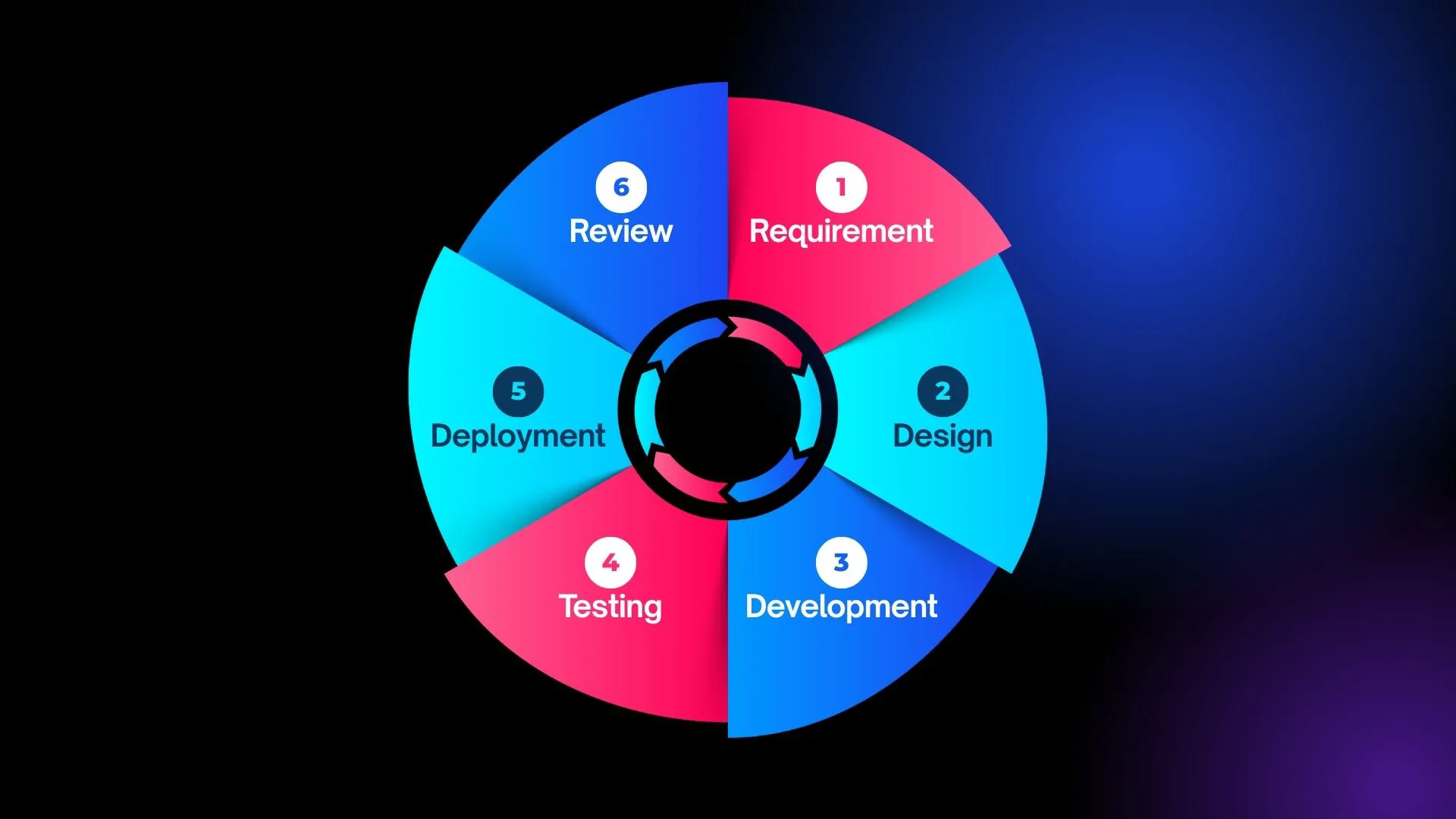
A typical Agile Software Development life cycle (SDLC) includes:
Requirement
In the requirement stage, the team clarifies what problem they’re solving and why it matters. Instead of long, detailed specifications, Agile uses small, focused items – often user stories – that describe who needs something, what they need, and what outcome they expect.
The goal is a shared understanding and a prioritized backlog, not a perfect document. Conversations with stakeholders and users are key here.
Design
Once the team knows what to build, they decide how it should work. In Agile, design is lightweight and iterative. You sketch flows, screens, or data structures and think through how the new piece fits into the existing system.
You design just enough to move forward safely in this cycle, knowing you’ll refine the design as you learn more. Architecture evolves over time instead of being frozen at the start.
Development
In the development stage, developers turn the agreed requirements and design into working software. They write code, configure services, and integrate with other parts of the system.
Work is kept small so that items can be fully finished, not just started. Practices like code review and continuous integration help catch issues early and keep the codebase healthy as it grows.
Testing
Testing runs alongside development, not at the end of the project. As features are built, they are verified through automated tests and manual checks where needed. The aim is to confirm that the software behaves as expected and to spot problems early.
In Agile, testing is about building confidence: the team should feel safe making changes because they have fast feedback when something breaks.
Deployment
Deployment is where changes move into a live or production-like environment. Agile teams aim for small, frequent deployments instead of rare, risky releases.
Automation is common here – scripts and pipelines handle repeatable steps so deployments become routine rather than stressful events. Smaller releases make it easier to identify issues and roll back if necessary.
Review
The cycle ends with a review, which closes the loop and feeds into the next round of work. The team demonstrates what they’ve delivered to stakeholders and users, gathers feedback, and checks whether the increment solved the intended problem.
Internally, the team also reflects on how the work went and what they want to improve next time. The insights from this stage flow directly back into new requirements, starting the next Agile cycle.
→ Related article: 5 Phases of Agile Project Management – What are they?
Disadvantages of Agile System Development
Agile is powerful, but it’s not magic. There are trade-offs.
- Harder to predict the exact scope and timeline. You can still forecast, but it’s probabilistic, not absolute.
- Requires strong collaboration. If your organization is very siloed or slow to decide, Agile can feel frustrating.
- Can feel chaotic without discipline. Agile still needs structure and discipline – just a different kind from traditional methods.
- Documentation can be overlooked. Agile values working systems over comprehensive documentation. But that doesn’t mean “no documentation.”
- Not always ideal for every part of a system. You can still use Agile principles, but the process may need to be adapted.
Transitioning from Traditional Methods to Agile
Switching from a traditional model like Waterfall to Agile is a change in how people plan, deliver, and think about work. It’s easier if you treat the transition itself as an iterative project.
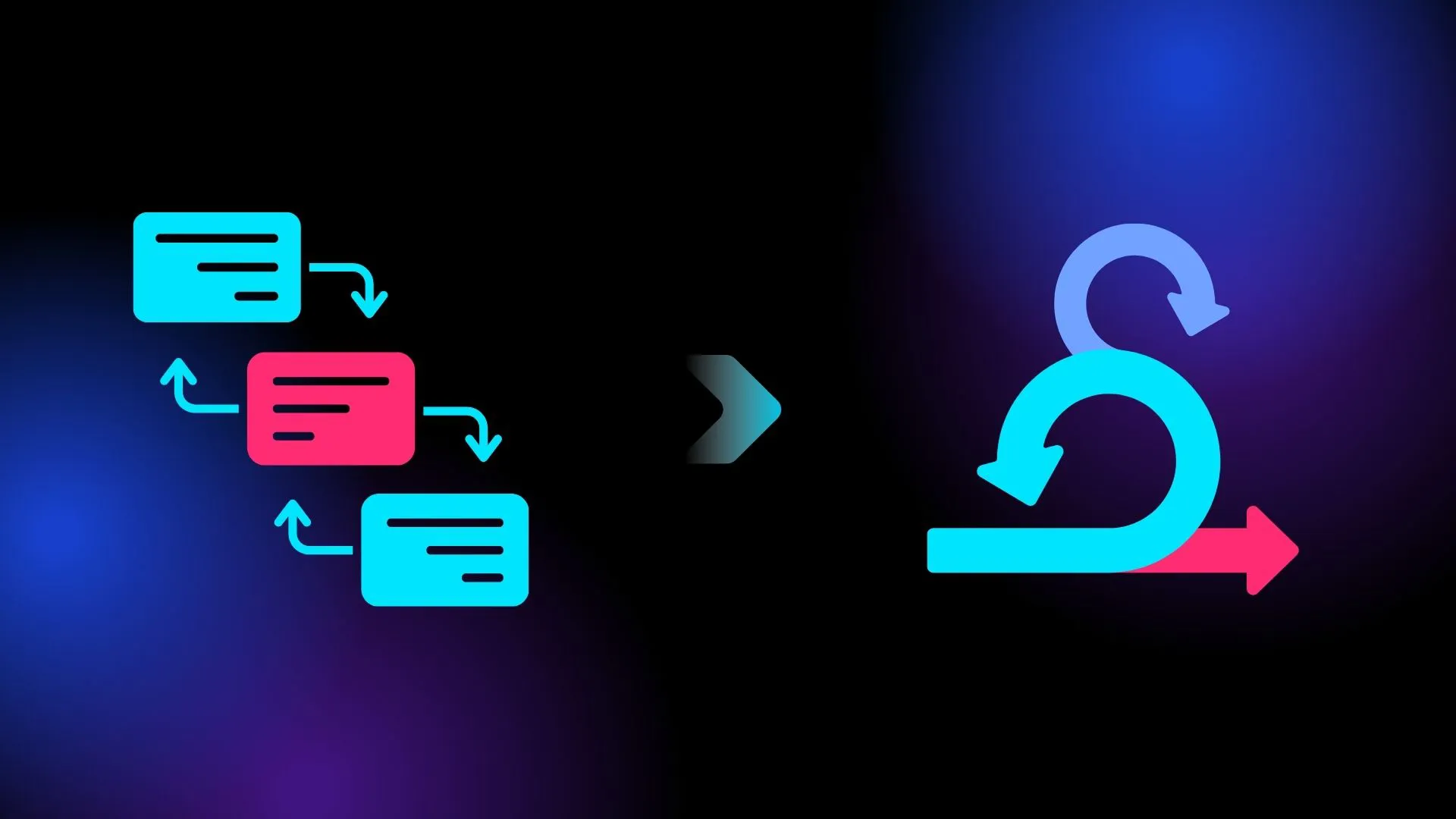
A practical way to start is with a pilot team or project. Choose an area where you can experiment without putting the whole business at risk. Give the team clear goals, a cross-functional mix of skills, and support from leadership. Let them try Agile practices, learn from mistakes, and share what works.
Training is important for everyone involved – not just the delivery team. Managers and stakeholders need to know how planning, estimation, and reporting will change. Instead of detailed long-term project plans, they’ll work with roadmaps, backlogs, and regular reviews of working software.
You will likely need to adjust planning and reporting. Progress is no longer “percent complete” against a fixed plan. Instead, you track delivered increments, lead time, and outcomes. Shorter planning cycles and frequent check-ins replace long, upfront planning phases.
Tools and processes may also need to evolve. Agile works best with tools that support backlogs, boards, collaboration, and automation. For system work, continuous integration, deployment pipelines, and monitoring tools help teams ship smaller changes more often and safely.
Finally, don’t try to change everything at once. Start small, gather feedback, adapt your approach, and then expand Agile practices to more teams. Treat the transition as a series of steps, not a one-time flip of a switch.
Tools like ProductGo with user story maps help teams move from static project plans to living roadmaps in Jira, making it easier to prioritize, track, and adjust Agile system work as you learn.
Difference Between System Development and Software Development
Although people sometimes use the terms interchangeably, system development and software development focus on different scopes.
Software development is primarily concerned with building applications: writing code, designing user interfaces, managing databases, and testing functionality. The boundaries are usually defined around the application itself.
System development looks at the bigger picture. A system includes software, but also infrastructure, data flows, integrations with other systems, operational processes, and the people who run and support everything. For example, a “customer support system” isn’t just the ticketing app. It also includes phone integrations, knowledge bases, routing rules, dashboards, SLAs, and the workflows agents follow.
| Aspect | System Development | Software Development |
| Scope | Broad: whole ecosystem (apps, infrastructure, processes, people) | Narrower: specific applications or services |
| Main Focus | End-to-end outcomes and how everything works together | Building and improving the application itself |
| Components | Software, hardware, networks, data flows, workflows, teams | Code, UI, APIs, databases, tests |
| Typical Questions | “How do all parts deliver this business outcome?” | “How do we implement this feature or app?” |
| Examples | Customer support system, HR system, data platform | Ticketing app, mobile app, reporting service |
| Agile Application | Iterative improvement of the entire ecosystem | Iterative delivery of features and app enhancements |
You can think of it this way:
- Software development answers: “How do we build this application?”
- System development answers: “How do all these parts work together to deliver the outcome we want?”
Agile System Development applies Agile principles to this broader scope. It’s not just about shipping code faster; it’s about iteratively improving the entire ecosystem that delivers value – across applications, infrastructure, processes, and teams.
Final Thoughts
Agile System Development won’t solve every problem overnight. But when applied thoughtfully, it gives you a way to make steady, visible progress, reduce risk, and involve the right people at the right time.
Instead of betting everything on one big release, you evolve your systems step by step – learning as you go and building solutions that actually work in the real world.