
Kanban is one of those frameworks that feels almost too simple at first. You create a board. You add a few columns. You move cards from left to right.
And yet, when it’s used well, Kanban can completely change how a team runs projects. Work becomes visible. Priorities get clearer. Bottlenecks show up early. People stop multitasking as much. Delivery becomes calmer and more predictable.
What is Kanban Project Management
Kanban project management is a way to plan and deliver work by managing flow. It helps you see what’s happening, reduce overload, and move work through a system more smoothly.
Instead of treating a project like a fixed plan that must be followed step-by-step, Kanban treats a project like a stream of work that needs to move steadily from “not started” to “done.”
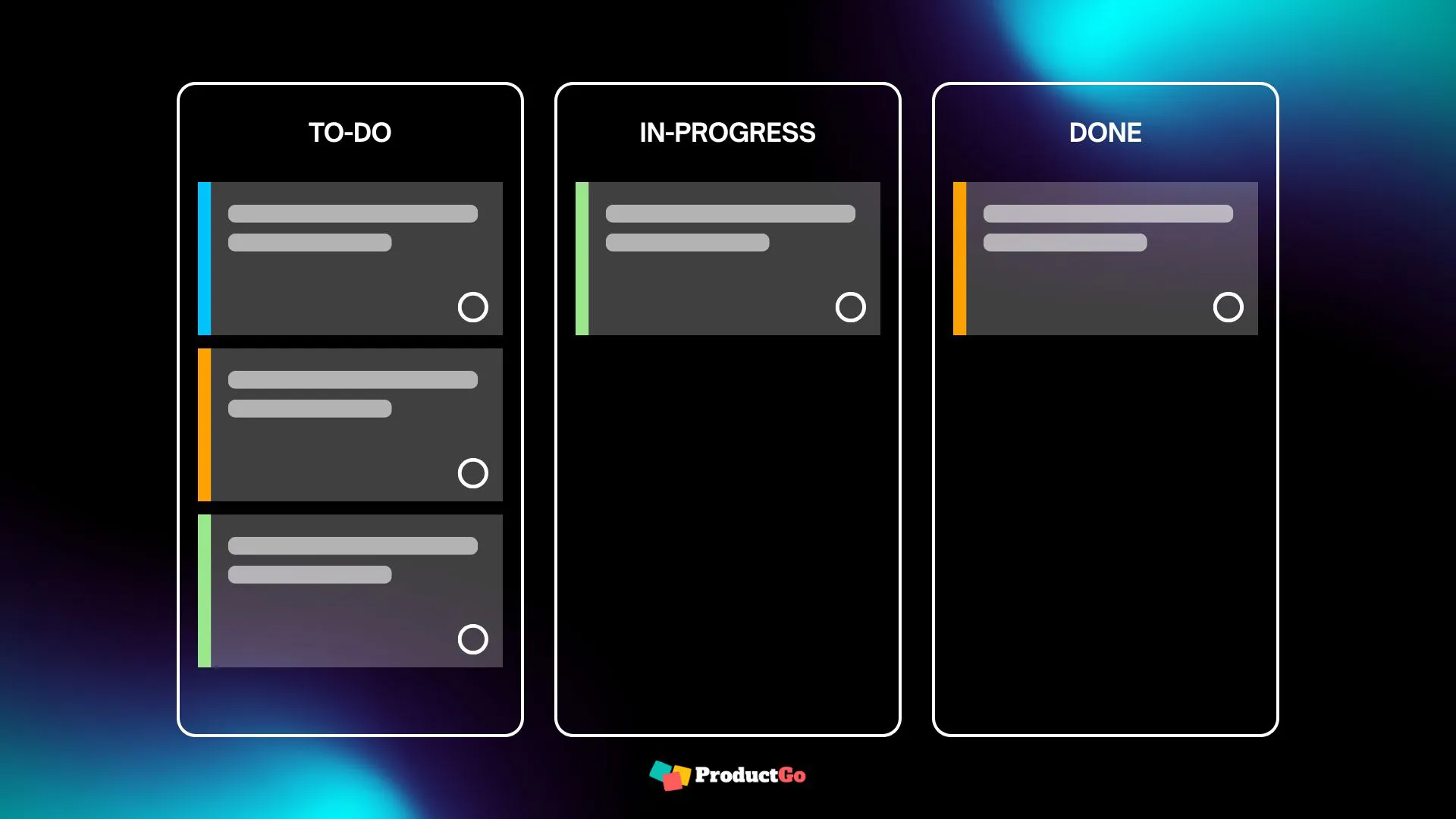
That shift matters because most modern projects don’t behave like tidy, predictable checklists. Priorities change. Dependencies appear late. People get pulled into urgent requests. Reviews take longer than expected. Stakeholders ask for updates at the worst possible time.
Kanban doesn’t pretend those realities don’t exist. It gives you a simple structure to handle them without losing control.
A Kanban system typically includes:
- A board that shows the stages of work
- Cards that represent tasks or deliverables
- Clear rules for when work can start and what “done” means
- A focus on limiting overload and improving how work flows through the process
If you’ve ever felt like your project is “busy” but not moving, Kanban is built to address exactly that.
Where Kanban Comes From
The word “Kanban” comes from Japanese and is commonly translated as “visual sign” or “signal card.” The concept became well-known through Toyota, where it was used to manage production in a way that reduced waste and prevented overproduction.
The key idea was simple: Don’t start work just because you can. Start work when there is capacity and demand for it.
In a factory, starting too much work creates piles of inventory that sit around waiting. In knowledge work, the “inventory” is unfinished tasks. And unfinished tasks create their own kind of waste:
- people switch contexts and lose focus,
- work waits in queues for review,
- bugs or misunderstandings get discovered late,
- deadlines become stressful because nothing feels “done.”
Kanban was adapted from manufacturing into software development and then expanded into many other areas: marketing, HR, finance, operations, customer support, legal teams, and product teams.
Today, Kanban is popular because it fits how many teams actually work. It doesn’t require a big re-org. It doesn’t require strict roles. It doesn’t demand that you plan everything upfront. It simply helps you manage work realistically.
The Benefits of Using Kanban for Project Management
Kanban is often described as “simple.” But it’s more accurate to say it’s simple to begin and powerful when practiced consistently.
Here are the benefits that project managers and teams tend to notice first.
- More clarity without more meetings. A good Kanban board is like a shared source of truth. Instead of asking, “What’s the status of this?” you can look at the board and see where work is, what’s stuck, and what’s next.
- Less overload and less multitasking. Kanban helps by making overload visible and by encouraging teams to finish work before starting new work. This is a big deal in project management because “starting” is easy and “finishing” is where the real value is delivered.
- Better predictability without rigid planning. Kanban improves predictability by focusing on flow. When work moves steadily, you can make more reliable statements like: “We typically finish 10 items per week,” or “This project is slowing down because Review is overloaded.”
- Faster learning and continuous improvement. Kanban supports a habit of improving the process in small steps. Instead of making a massive process change every six months, you can adjust your workflow weekly as you learn.
How to Use Kanban for Project Management
Kanban helps you manage projects by keeping work visible, focused, and moving forward. In practice, it supports three everyday project needs: planning, prioritizing, and tracking.
Plan with Kanban
Start by breaking the project into clear, doable work items. Keep them in a “ready” queue so the team always knows what can be pulled next. You don’t need a perfect plan upfront – just enough clarity to start and adjust as you learn.
Prioritize with Kanban
Use the backlog (or “To Do” column) as your priority list. Put the most important items at the top. When priorities change, you reorder the list instead of disrupting work already in progress – unless it’s truly urgent.
Track with Kanban
Instead of tracking progress by “percent complete,” track it by movement:
- What’s moving smoothly?
- What’s stuck or blocked?
- Where is work piling up?
That’s usually enough to spot risks early and keep delivery predictable.
The Four Core Kanban Principles
Kanban works because it tackles four problems that almost every project team faces: lack of visibility, too much work in progress, slow handoffs, and stagnant processes.
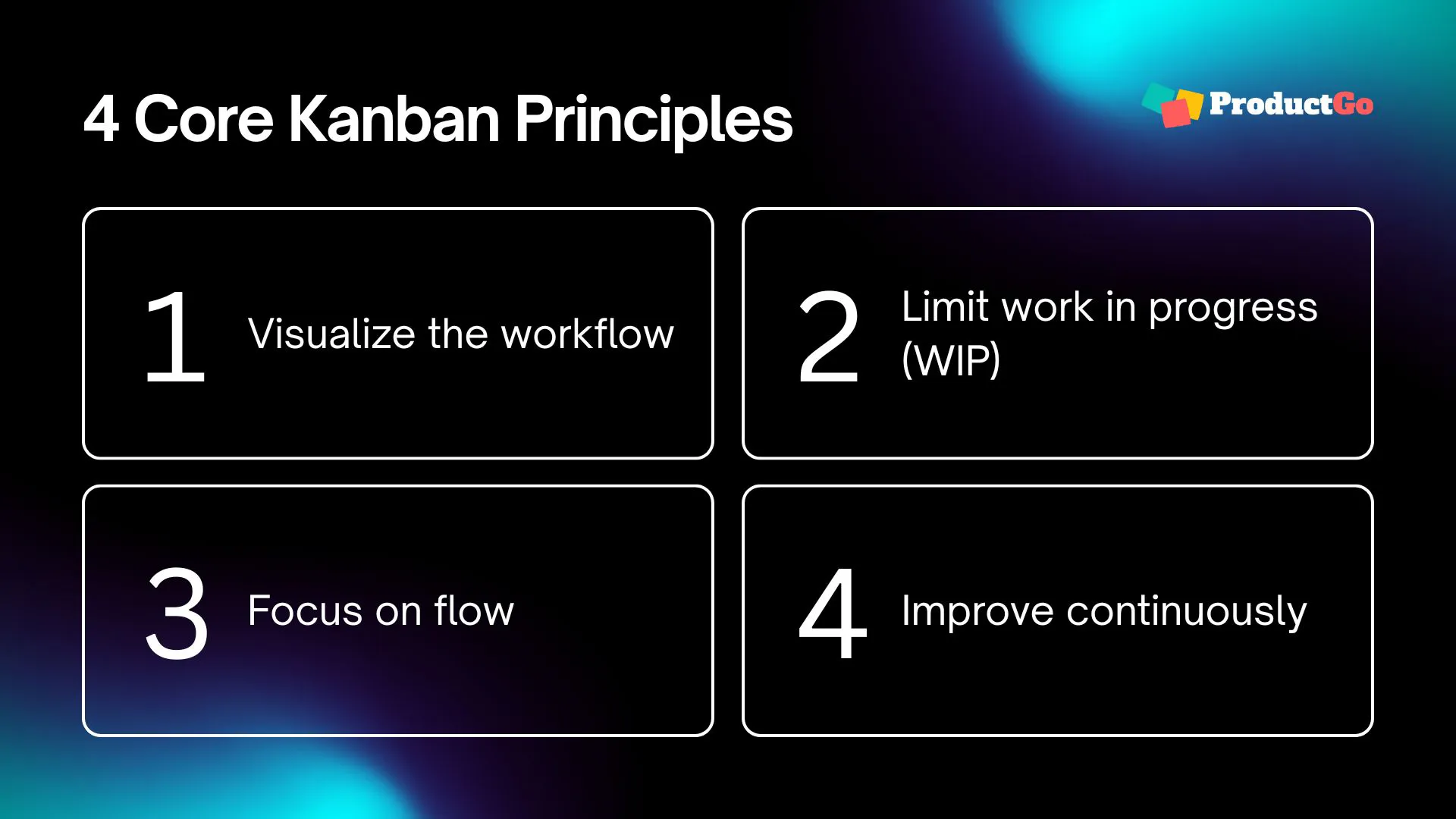
Visualize the workflow
If work is invisible, it can’t be managed.
Visualizing the workflow doesn’t mean you need a complicated board. It simply means representing your real stages of work and placing tasks into those stages so everyone can see what’s happening.
This improves alignment instantly. It reduces confusion. And it makes it much easier to have good conversations like, “Why is everything stuck in review?” or “Why do we keep starting new tasks while older ones are still unfinished?”
Limit work in progress (WIP)
Work-in-progress limits are where Kanban becomes more than a board.
A WIP limit is a simple cap on how many items can be in a stage at once. For example, your “In Progress” column might have a limit of 3.
This matters because starting too much work creates invisible delays. When people multitask, everything moves slower. And when everything moves slower, delivery becomes unpredictable.
WIP limits encourage finishing. They also reveal bottlenecks quickly. If “Review” is always full, you don’t need a long discussion to diagnose the problem. The board shows it.
Focus on flow
Flow means work moves steadily from start to finish.
When flow is healthy, tasks don’t sit around waiting. When flow is unhealthy, tasks spend most of their time waiting, not being worked on.
Kanban encourages you to pay attention to the waiting. Waiting is where time disappears. And in project management, waiting is often what turns “a quick task” into a two-week delay.
Improve continuously
Kanban supports a culture of small improvements.
Instead of trying to redesign everything, you ask simple questions regularly:
- What’s slowing us down?
- What’s causing rework?
- Where do we get stuck most often?
- What would make this smoother next week?
Over time, small adjustments add up to big improvements.
How to Set Up a Kanban Board for Project Management
A good Kanban board isn’t about fancy columns. It’s about reflecting how work really happens, and making it easier to manage.
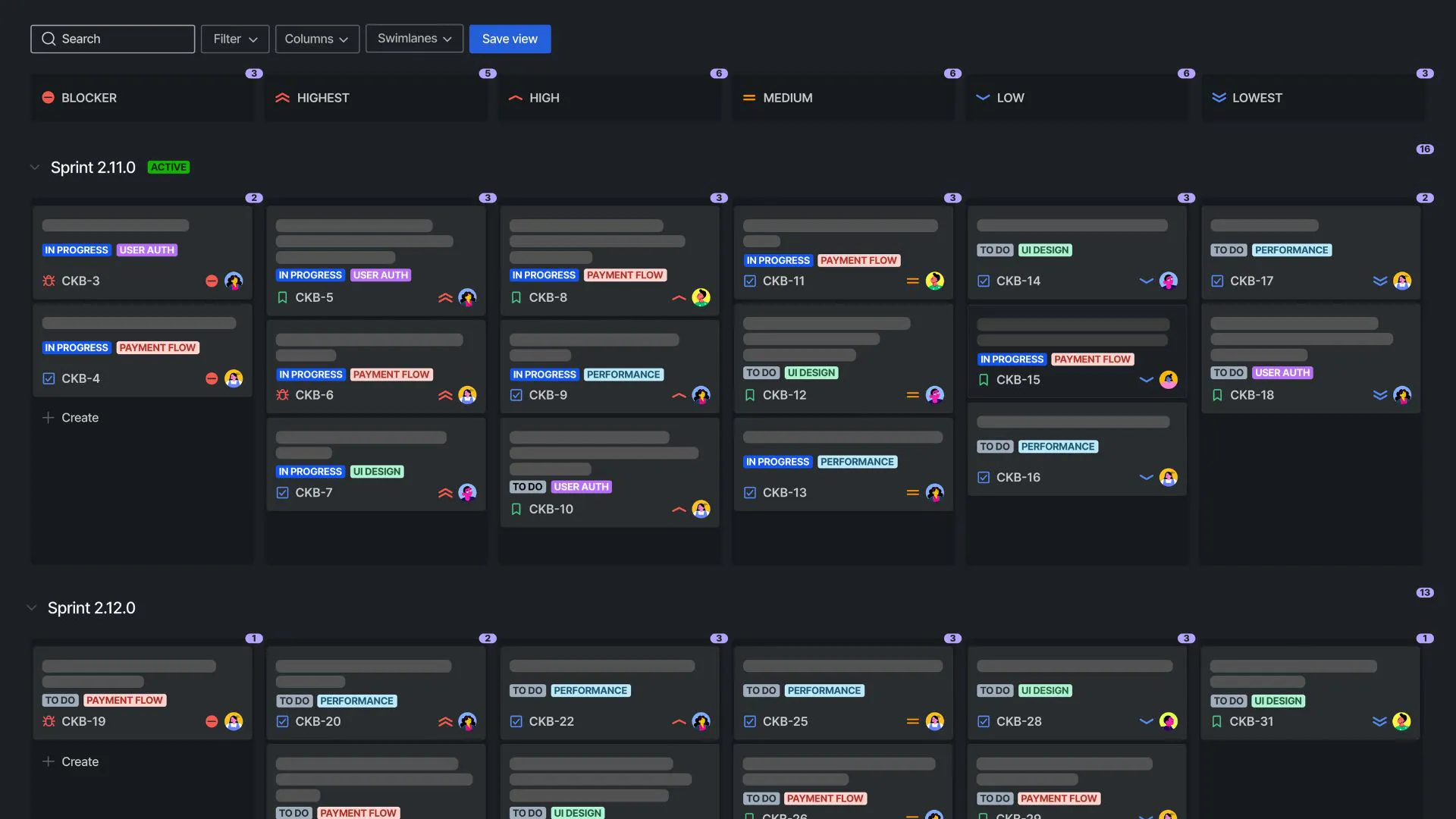
Here’s a practical setup approach you can follow.
Step 1: Choose your tool (or start simple)
You can run Kanban in many ways: a whiteboard with sticky notes, a spreadsheet, or software like ProductGo, Monday, Asana, etc.
If your team needs reporting, permissions, and integrations, software helps. If you’re just starting, simple is fine.
Step 2: Define what a “card” represents
Before you create cards, decide what each card means. For project management, a card could be: a deliverable, a task, a user story, a request from another team, or a work item that can be completed in a reasonable timeframe.
A common mistake is making cards too big. If a card takes weeks to complete, it becomes hard to track and easy to avoid.
A good rule: a card should move often.
Step 3: Design columns based on real stages
Start with the stages you actually use today – not what you wish you had.
A simple project-friendly version might be:
-
To Do → In Progress → Review → Done
If your workflow needs more detail, expand carefully:
-
To Do → Design → Build → Test → Ready to Release → Done
Keep it readable. If your board has 12 columns, people stop using it.
Step 4: Add clear policies (simple rules)
“Policies” just means clear definitions. For example:
- What qualifies as “Ready” to start?
- What qualifies as “Done”?
- What does “Review” include?
This prevents confusion and reduces back-and-forth.
Step 5: Set initial WIP limits
Start small and realistic.
For example:
- In Progress: 3
- Review: 2
If you’re unsure, begin with no limits for a week, observe where work piles up, then set limits based on what you see.
Step 6: Respect current roles and responsibilities
Kanban doesn’t require you to reorganize the team.
Keep roles as they are, and use the board to improve coordination:
- Who picks up what?
- Who reviews?
- What happens when something is blocked?
Step 7: Start with what you’re doing now
Don’t rebuild your entire process on day one.
Instead:
- put current work on the board,
- track it for 1–2 weeks,
- then adjust based on what’s happening.
Step 8: Plan feedback cycles (so the board stays healthy)
Even a great board can get messy without regular check-ins. Two lightweight habits help a lot:
- Daily standup: What’s moving? What’s blocked?
- Weekly review: Are priorities still right? Are WIP limits working?
Step 9: Treat blockers as a first-class signal
Blocked work is not “bad.” It’s valuable information.
Make blockers visible and consistent, like: a “Blocked” label, a dedicated blocked section, or a clear rule for escalation.
A board that hides blockers creates false confidence. A board that shows blockers helps you fix the real issues.
Why Kanban Remains Effective for Project Managers
Project work has changed.
Projects are rarely linear anymore. Priorities shift, dependencies appear, and teams often support ongoing requests alongside planned initiatives.
Kanban project management remains effective because it fits that reality:
- It handles changing priorities without chaos.
- It helps teams manage multiple streams of work.
- It shows risk early (through bottlenecks and blockers).
- It supports predictability through steady delivery, not rigid plans.
For many teams, Kanban becomes the “control center” that makes everything feel more manageable.
Maximizing Kanban with Additional Tools
Kanban is excellent for execution, but some teams need additional ways to plan and communicate at a higher level.
Two common tools pair well with Kanban, especially in project environments.
User story mapping
A user story map helps you organize work around the user journey and the outcomes you want to deliver.
It’s especially useful when you’re dealing with large initiatives where it’s not obvious what should be built first. It helps you slice the work into meaningful pieces and align stakeholders around what matters most.
You don’t use a story map every day. You use it when you need clarity on scope and sequencing. Then Kanban helps you deliver the pieces steadily.
→ Try the user story map for Jira by ProductGo
Gantt charts
Gantt charts can still be helpful, especially for cross-team projects where timelines and dependencies need to be communicated clearly.
The key is to use Gantt charts as a high-level view for milestones and coordination – not as a strict daily control mechanism.
Many teams use a hybrid approach: Kanban for day-to-day execution and a simplified Gantt view for major milestones.
That combination can satisfy both the team’s need for flexibility and stakeholders’ need for visibility.
→ Visualize your Jira tasks on a timeline with ProScheduler
Pros and Cons of Kanban in Project Management
Kanban is powerful, but it’s not magic. It works best when you understand both its strengths and limitations.
Pros
- Easy to start without a big process overhaul
- Improves visibility across the team
- Reduces overload and context switching
- Helps identify bottlenecks early
- Supports continuous improvement
- Works well with changing priorities
Cons
- Can feel too open-ended if you need strict deadlines
- Requires discipline to keep the board clean and accurate
- Without good prioritization, the backlog can become messy
- Teams may ignore WIP limits if leadership pushes “more work”
- It doesn’t automatically solve unclear scope – work still needs definition
The good news: most “cons” aren’t flaws in Kanban. They’re signals that the team needs clearer policies, stronger prioritization, or better stakeholder alignment.
Closing Thoughts: A Calm Way to Run Projects
If Kanban had one promise, it would be this:
You can deliver more reliably by doing less at the same time.
That sounds counterintuitive, but it’s how most high-performing teams operate. They don’t work harder by starting more. They work smarter by finishing more.
Kanban rewards consistency more than complexity. And once your team starts seeing work move smoothly, it becomes hard to go back.