
Every team has its own way of working. Some move fast with lightweight processes. Others need more structure to manage dependencies, handoffs, and priorities. But one challenge is almost universal: standard Jira boards don’t always reflect how work actually flows.
That’s why we’re excited to introduce Advanced Kanban – a new way to design Kanban boards that adapt to your workflow, not the other way around.
Built into ProductGo, Advanced Kanban gives you more control over how work is visualized, updated, and managed across projects. It’s flexible enough for complex setups, but simple enough to use every day.
Personalize your Kanban board to match how you work
Most Kanban boards start with fixed columns and predefined rules. While that works for some teams, it often falls short when your workflow doesn’t map neatly to Jira statuses.

Advanced Kanban changes that by letting you design your board structure from the ground up.
You can create:
-
Custom columns that represent real stages of work
-
Custom swimlanes that reflect priorities, ownership, or any other dimension that matters to your team
-
Board structures that are driven by your own Jira fields
Instead of asking ‘How do we fit our process into this board?’, the board adapts to your process. This makes your Kanban board more intuitive and easier to read – especially for new team members or stakeholders who need quick context.
The result is a board that feels familiar, meaningful, and aligned with how your team already thinks about work.
Assign columns and swimlanes using your own Jira fields
What makes Advanced Kanban especially powerful is how closely it’s connected to Jira data.
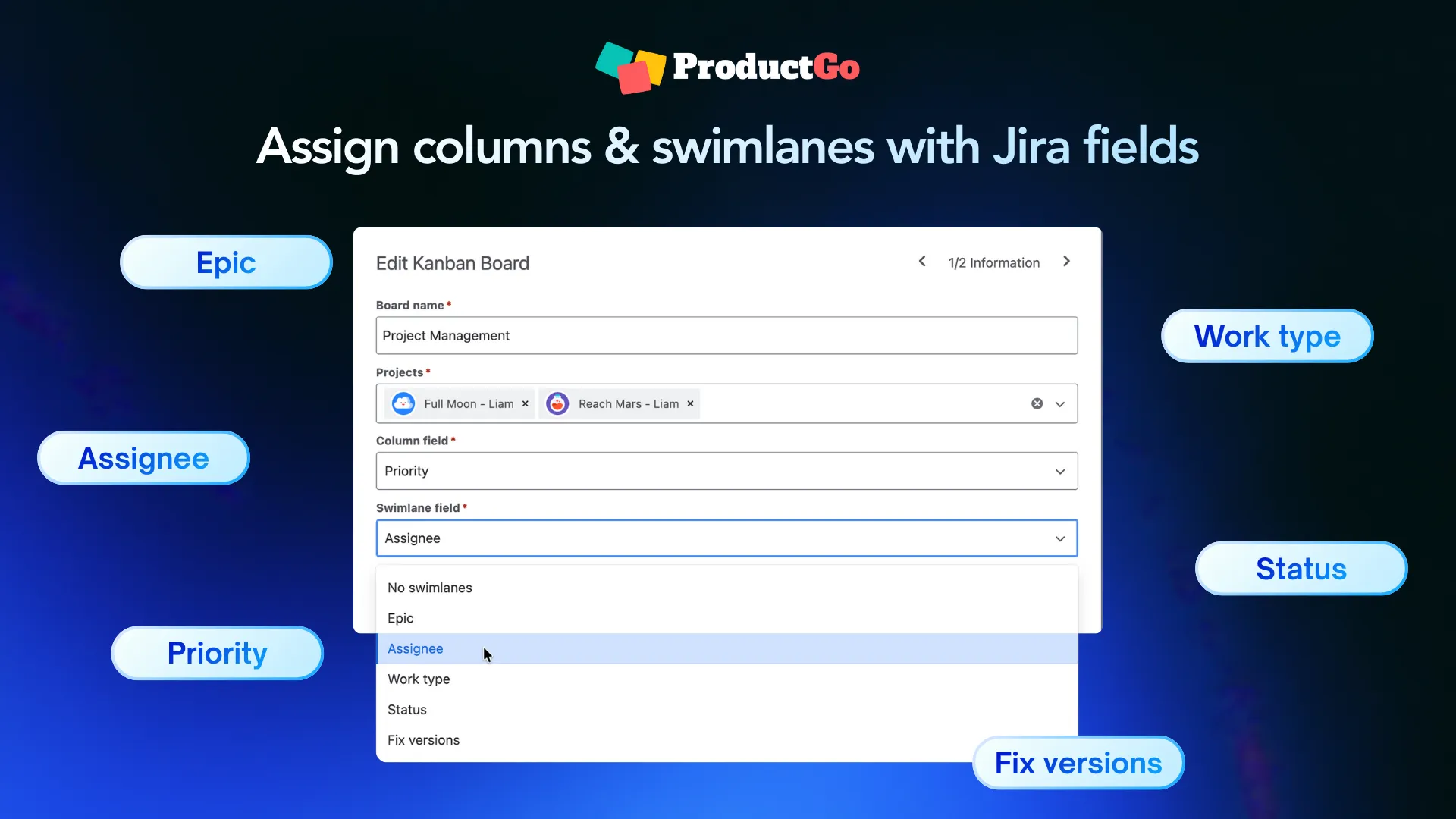
Each column and swimlane can be mapped to your existing Jira fields, including custom fields. This means you can visualize work by priority, ownership, type, or any other dimension your team already uses – without creating new statuses or duplicating boards.
Because everything stays linked to Jira fields, your data remains consistent. You’re not maintaining separate workflows or views that drift out of sync. Instead, you get flexible perspectives on the same set of issues, all driven by the data you already trust.
Manage multiple projects in one board – without creating new Jira boards
For teams that work across projects, switching between Jira boards can quickly become inefficient.
Advanced Kanban allows you to bring issues from multiple projects into a single board view. You can even combine team-managed and company-managed projects in one place. This makes it much easier to coordinate work across teams, track shared initiatives, and spot dependencies early.
Importantly, this doesn’t require creating new Jira boards or restructuring existing projects. You simply get a broader, more connected view of your work, without adding maintenance overhead.
Get clearer visibility into workload and progress with built-in statistics
A Kanban board should help teams understand what’s happening, not just where tasks are placed.
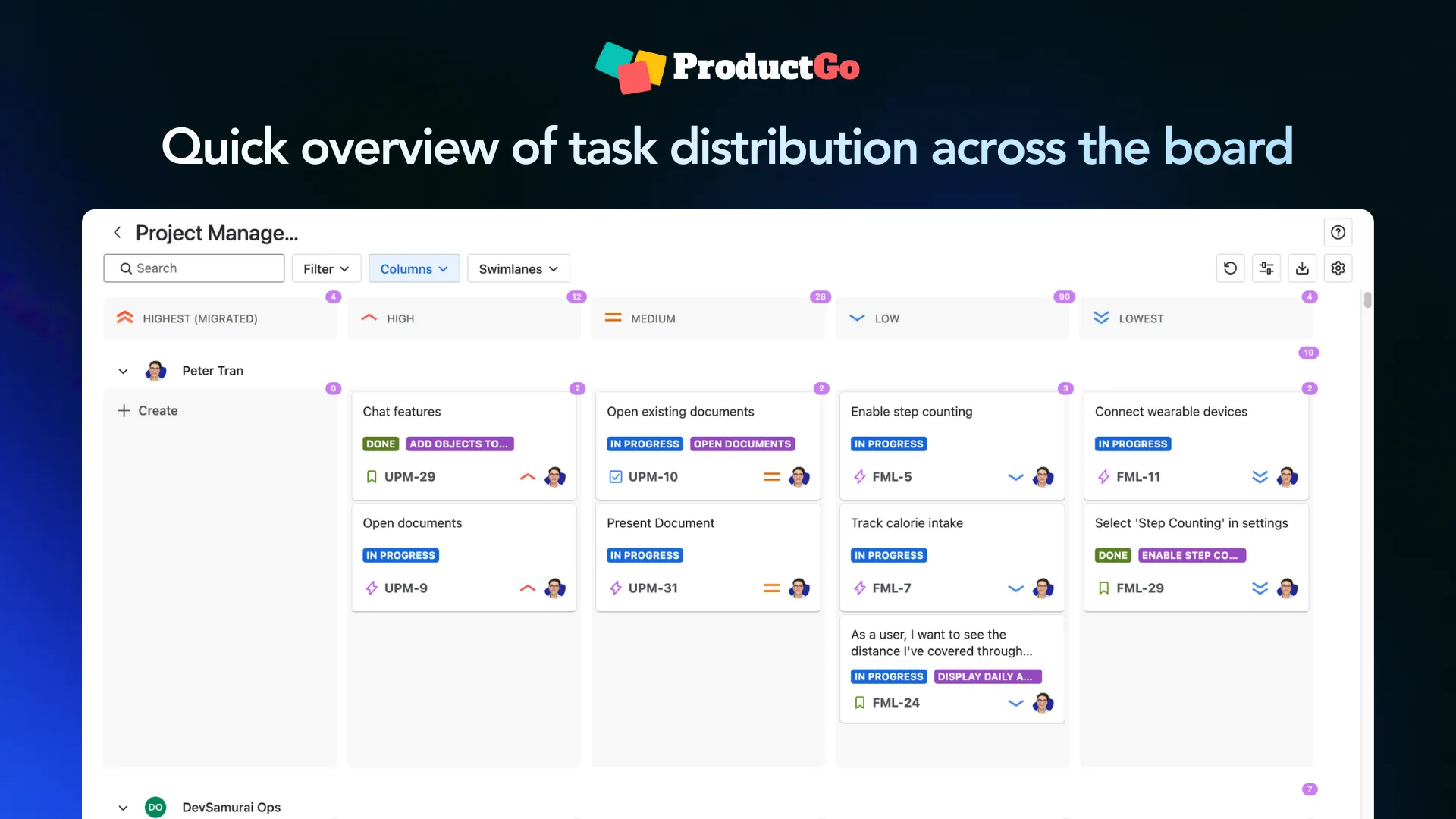
Advanced Kanban includes built-in statistics that appear directly on the board. These statistics are calculated based on the fields you use for columns and swimlanes, and they show how work is distributed across different parts of the board.
At a glance, teams can see where work is building up, where capacity might be stretched, and where progress is flowing smoothly. This shared visibility supports better conversations and quicker decisions, without needing separate reports or dashboards.
Narrow your focus with flexible display settings
Different situations call for different views.
Advanced Kanban includes display settings that let you tailor the board to your current needs without changing the underlying setup.
You can:
-
Apply basic filters or JQL to focus on specific work
-
Save custom views for quick access later
-
Temporarily disable columns or swimlanes to reduce visual noise
This is especially helpful for reviews, planning sessions, or focused work periods. Instead of overwhelming the team with everything at once, you can highlight exactly what matters right now.
Built to fit naturally into Jira
Advanced Kanban is designed to work with Jira, not around it.
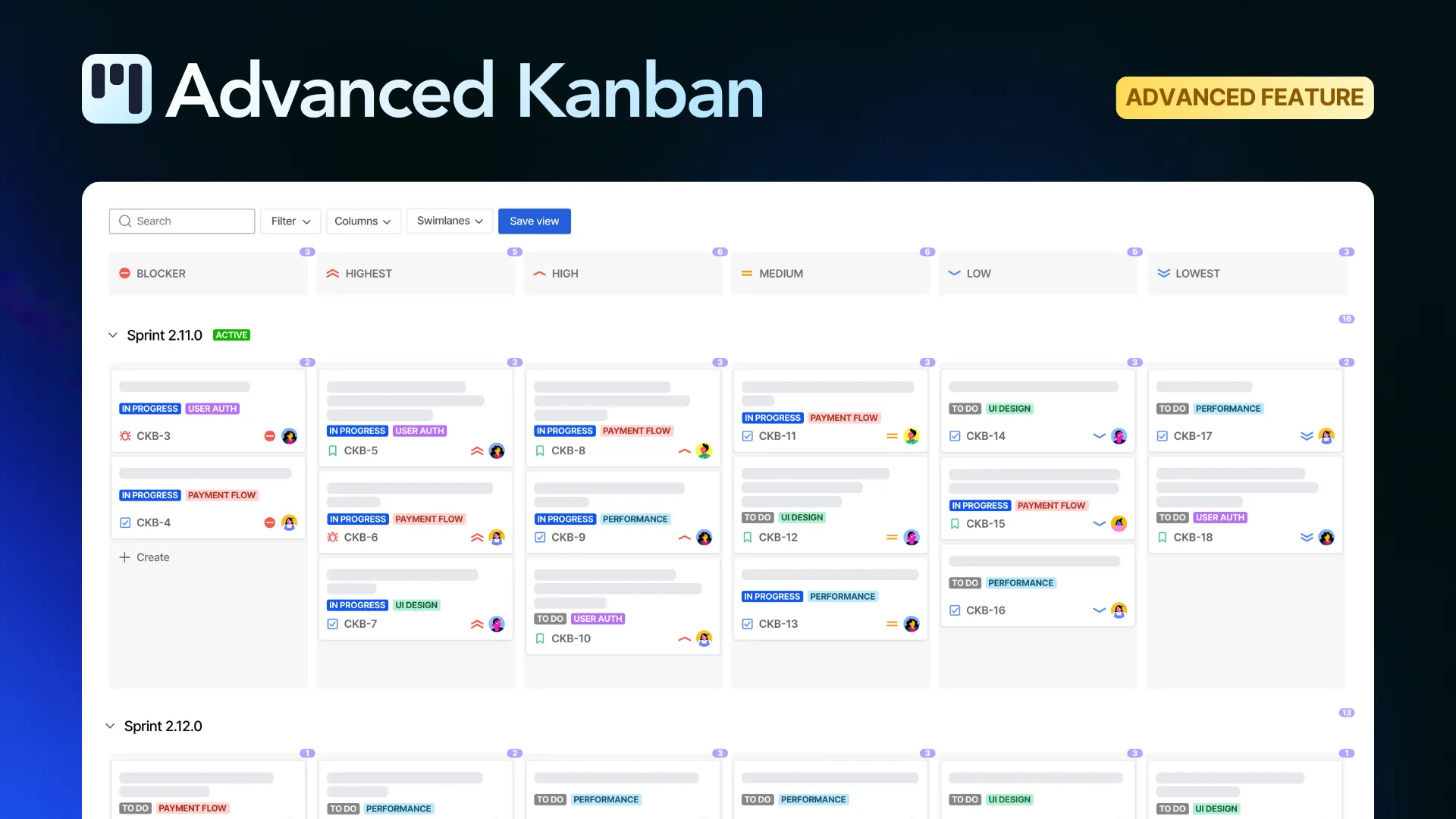
You don’t need to change how your projects are structured or how your team logs work. The feature builds on your existing Jira setup and adds flexibility where standard boards can feel restrictive. This makes it easy to adopt and simple to scale as your team’s needs evolve.
Make your Kanban experience better with ProductGo
Advanced Kanban is part of ProductGo’s Advanced edition, designed for teams that need more flexibility and visibility as their work grows.
By giving you flexible boards, cross-project visibility, effortless updates, and meaningful insights, it turns your Kanban board into a tool that actively supports better decision-making – not just a place to park tasks.
If you’ve been looking for a Kanban experience that truly reflects how your team works, Advanced Kanban is ready to help you get there.
👉 Explore Advanced Kanban today and start building boards that work the way you do.